Use Smart Auto or Tap to Capture at your own pace. Scan multiple pages with edge detection, perspective correction and lighting adjustments, or import images and PDFs.
Paperwork in order.Life a little lighter.
Scan, recognize text and sort your paperwork. Turn receipts, contracts and everyday essentials into a local library you can find your way around.
Made for iPhone & iPad · iOS 18+
Version 1.2 is now on the App Store
Seven interface languages · On-device OCR in seven languages
Bring it in
Scan paper or import your photos and PDFs.
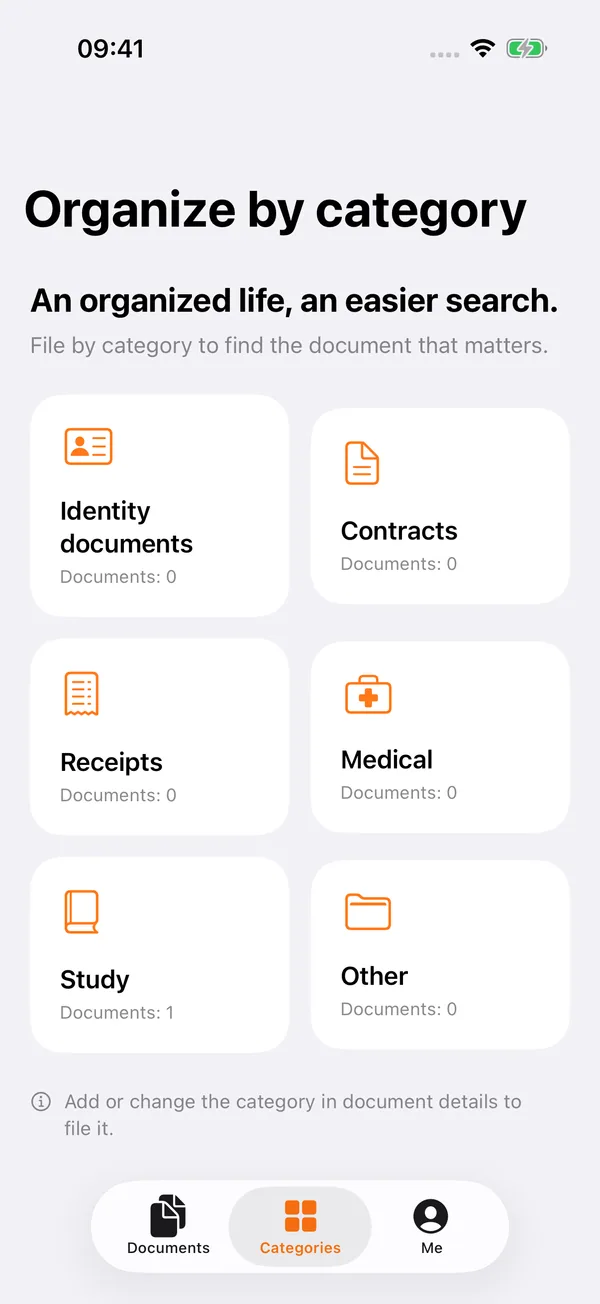
Put it in order
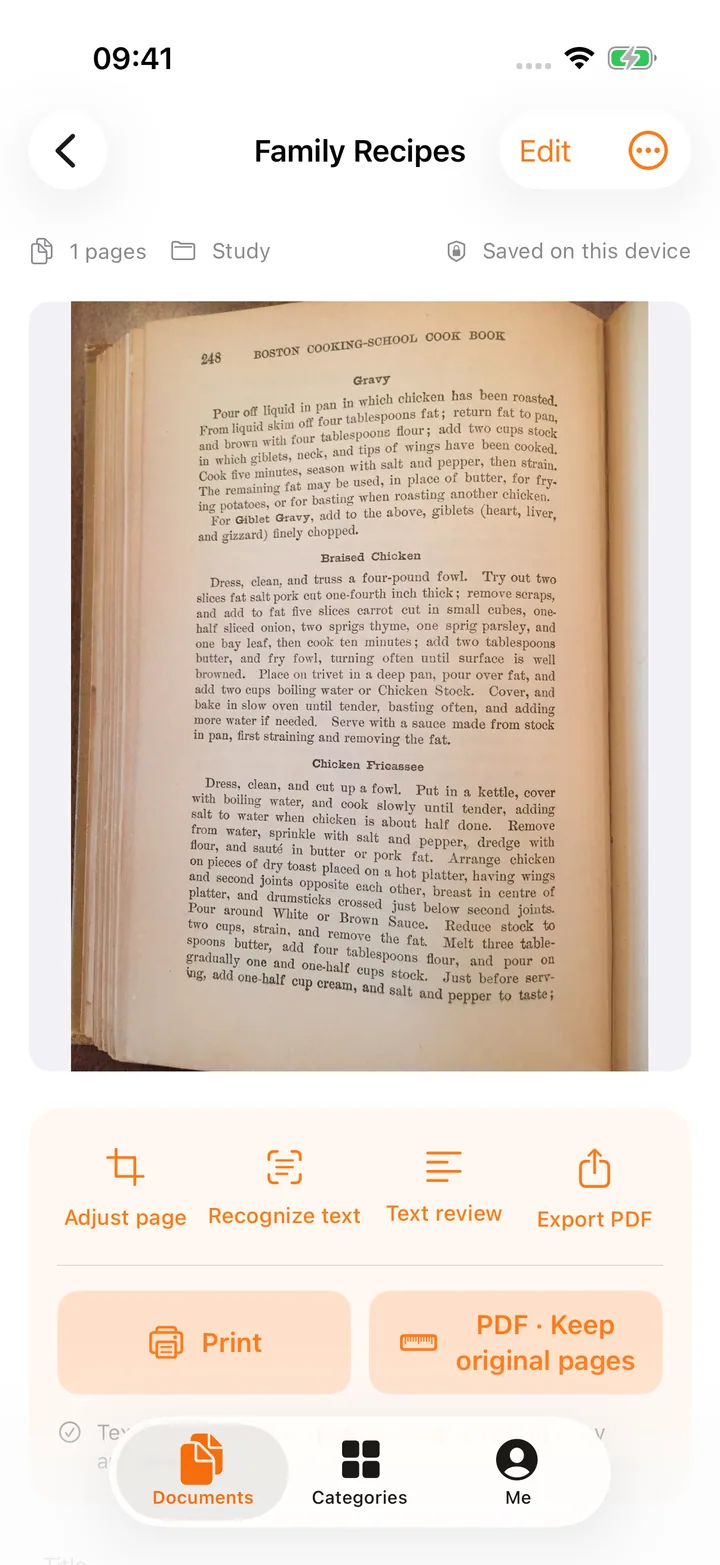
Recognize text, suggest a category and keep the originals.
Find it again
Search a few words from the document inside the app.
From a stack of paper to a searchable library
A place forevery document.
Review and save scanned or imported pages, then recognize text on device in seven languages and suggest categories such as IDs, contracts, receipts, health records and study materials.
Forget the file name. Search recognized text, titles, tags and notes, then check important names, dates and amounts one page at a time.
Export PDFs at their original size or as A4, A5, US Letter or US Legal. Back up selected documents or your whole library, keeping originals and details together. Restore as new copies.
Supports PDF, JPEG, PNG and HEIC. Rotate, reorder and remove pages before saving; adjust saved image pages again from the retained source photo.
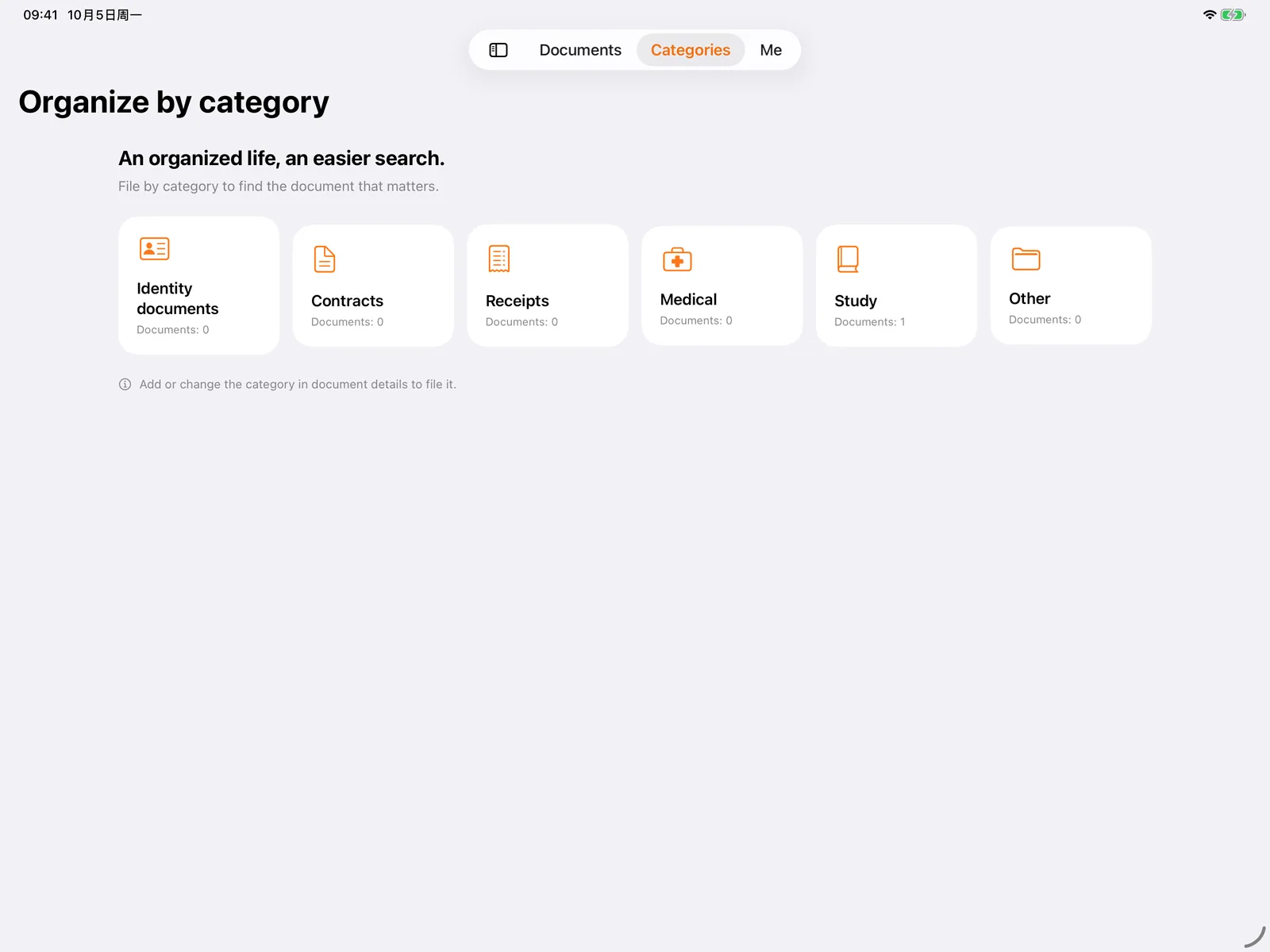
Unclear or mixed documents stay unfiled for you to review. You can also turn off automatic filing and organize them yourself.
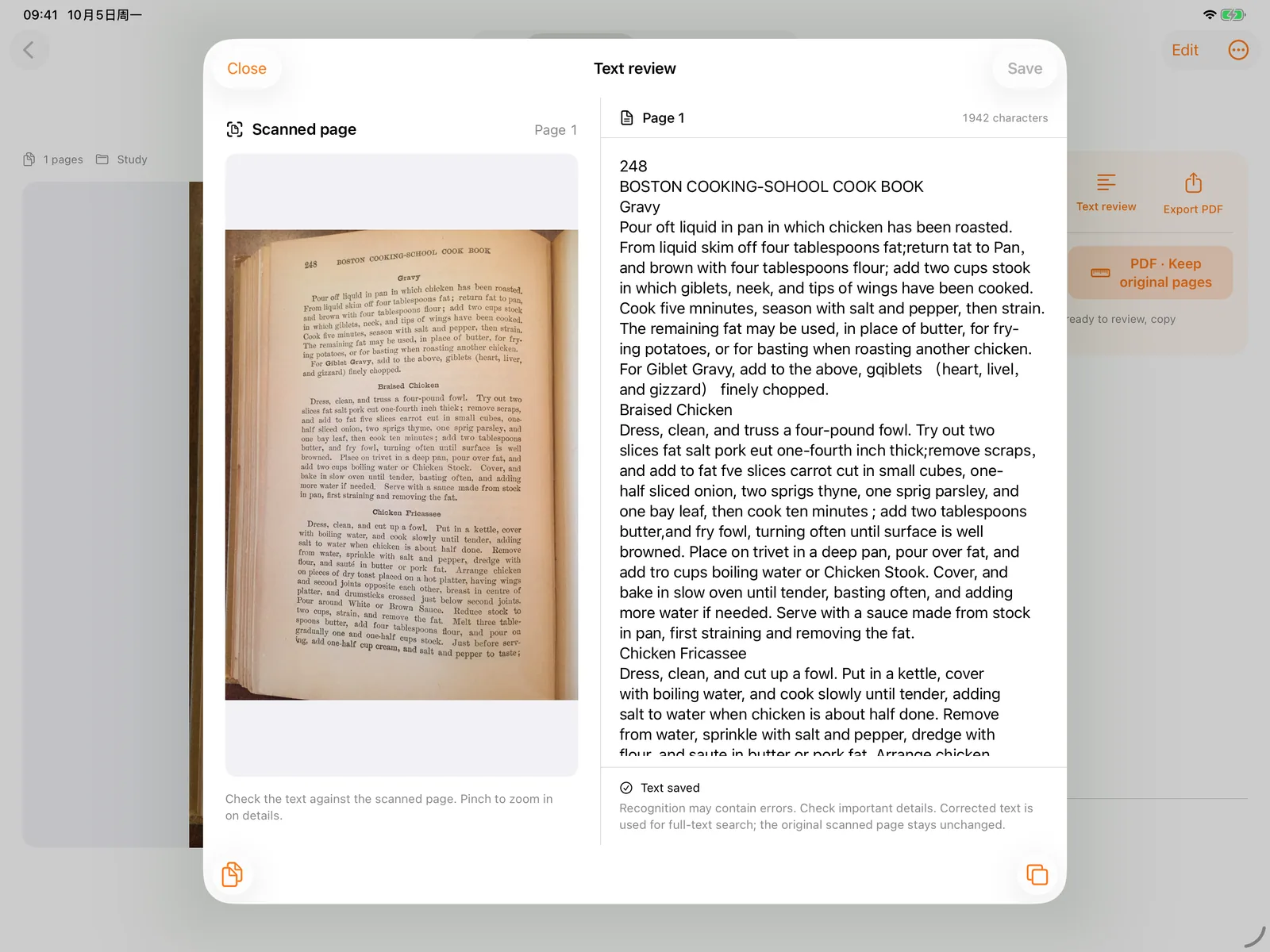
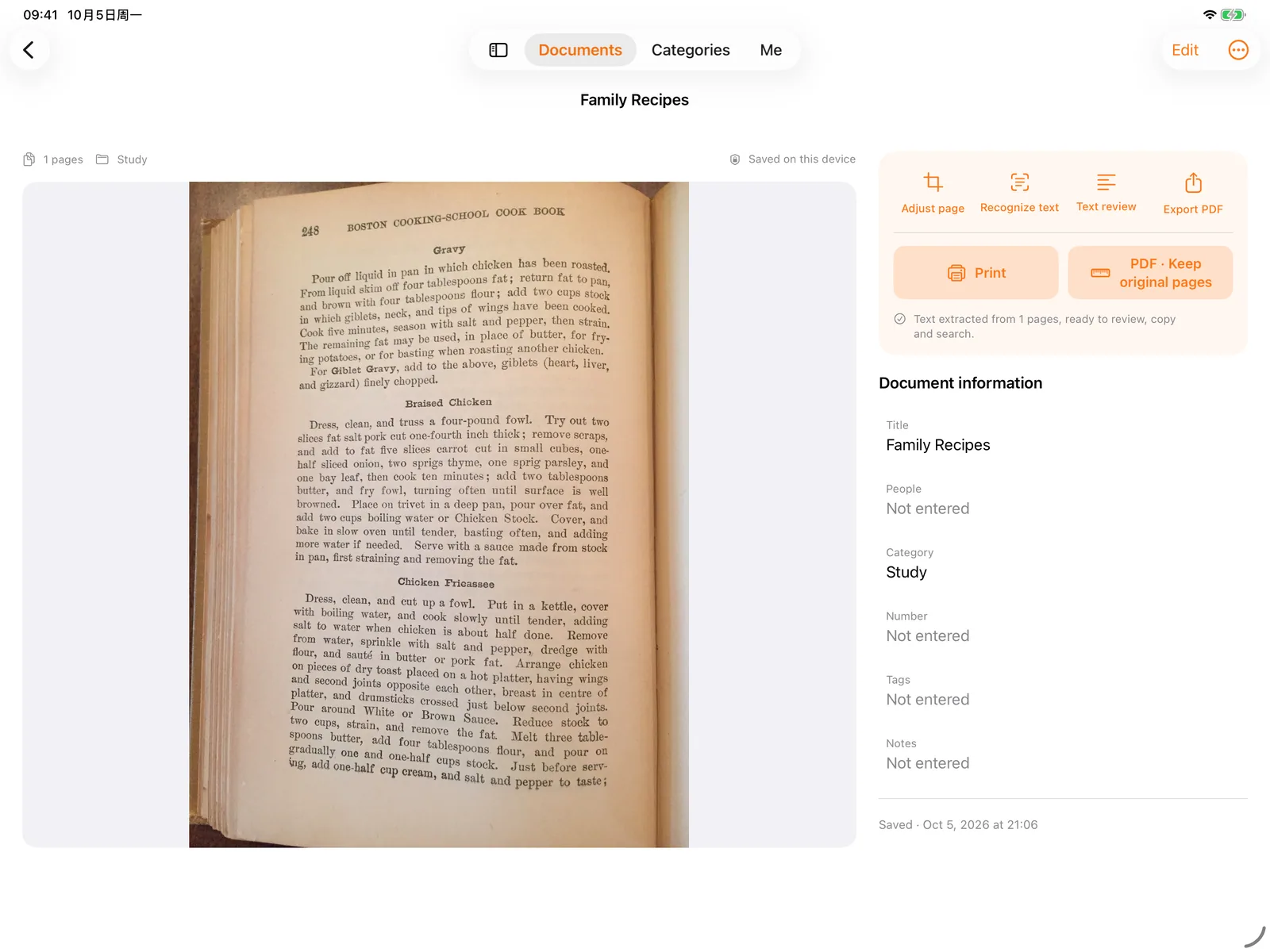
A wide iPad window shows the original and text side by side. Corrections update in-app search while your original scans stay unchanged.
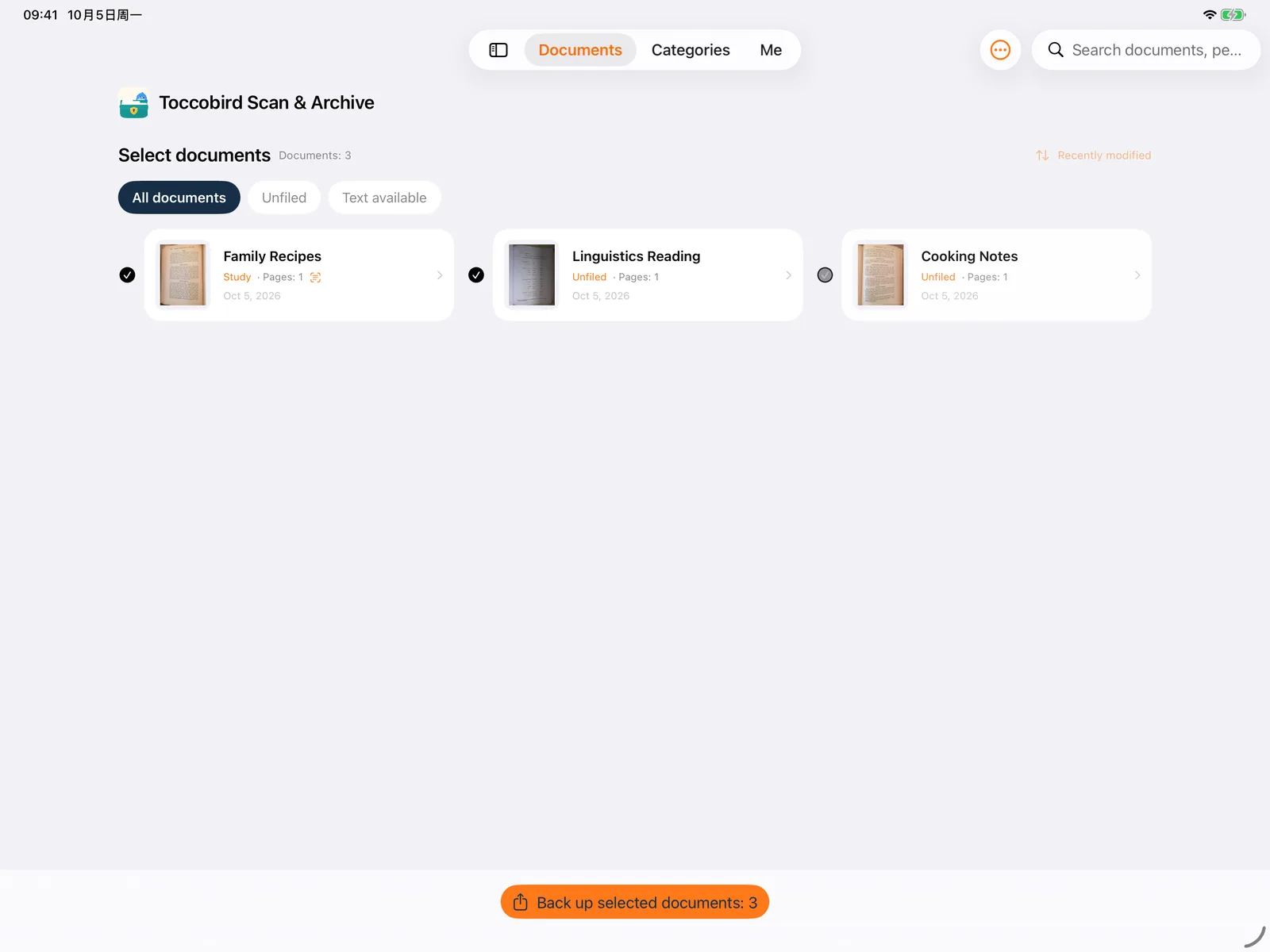
Version 1.2 can add a searchable text layer to pages with valid recognized text and positions, with export quality controls. Backups are currently unencrypted; store them somewhere trusted.
Receipts · Contracts · IDs · Health records · Study materials
Sample documents in the screenshots retain their original English text. Document photos: Matt Zucker / page_dewarp · MIT license
Version 1.2 · Available now
Organize every page. Export more useful PDFs.
Version 1.2 connects scanning, review and delivery, from pages on your phone to PDFs with text you can find and copy.
Searchable PDFs
Add an OCR text layer for searching, selecting and copying. Pages without valid text and positions remain image-only.
Split, merge and manage pages
Add, reorder, rotate and replace pages, or extract, split and merge into new documents while keeping your sources.
Choose your export quality
Set paper size, page order and Small, Balanced or High quality. Check the actual output size; 2 MB and 5 MB targets are not guarantees.
Import from the share sheet
Send images from other apps, then review them in Scan & Archive. Batch progress keeps documents that have already saved successfully.
Pick up where you left off
Return and authenticate to continue scans or edits within the same app session. Recovery does not survive app termination; temporary working copies last up to 24 hours.
Review, search and present
Compare text with originals and jump to PDF search matches. Present on a compatible external display, control pages and add temporary marks.
The interface and on-device OCR support Simplified Chinese, Traditional Chinese, English, French, German, Korean and Japanese. Review recognition results. Trash is automatically cleaned after 15 days.
More ways to use your documents
Useful beyond the scan.
From a quick command to a PDF in the right paper size, put your organized documents to work.
Siri & Shortcuts
Scan, find by keyword, open the library or change paper units. In 1.1, start and save new scans directly; reading or searching existing content still requires authentication. Name a custom shortcut “Scan document” for a shorter command.
Start with a commandPaper sizes & AirPrint
Choose Original, A4, A5, US Letter or US Legal, with dimensions in millimeters or inches. Open AirPrint from document details, select a compatible printer and confirm.
From screen to paperShare PDFs in iMessage
Choose a PDF from Files, preview it and add it to a message draft. You confirm sending. Files can be up to 20 MiB; the extension does not directly access your protected library.
Preview before sendingTry a page with the App Clip
Try single-page scanning, on-device OCR and suggested filing without starting the full app trial. Drafts last up to 7 days and may be cleared sooner. Unlock the full app and confirm import with active access.
Single-page experience · Subject to system availabilityWhat’s next · Not yet available
A bigger workspace for your documents.
These are development plans, not features in version 1.2. Version assignments may change; no launch date or pricing is confirmed.
Browser editor · Tentatively 1.3
Planned: connect a Windows or Mac browser to the foreground phone app on the same local network. Organize documents, review text, manage pages, import and export, and save changes back to the phone without a desktop client.
Local access approved on your phone
Planned: device authentication, a pairing code and confirmation on the phone, with one browser session at a time. Backgrounding, locking or network changes end the connection. No public remote access or cloud sync.
Enhanced exports · Future plans
Image layouts, watermarks, copyright and anti-copy marks are planned and not implemented. Scope, purchase options and release timing remain undecided.
Automatic and manual dewarping are also unavailable. Plans are subject to what ships in a future release.
Your important papers.In your hands.
No app account to create. Scanning, text recognition, filing and search happen on your device, where your library is stored.
Cloud sync is not currently available. Files you choose to share, export or back up, and system device backups, may leave your device. Exported backups are not protected by the app lock.
A familiar way to unlock
Authenticate with Face ID, Touch ID or your device passcode to access existing documents. Backgrounding locks them again; authenticate to resume unfinished work within the same app session.
Keep your originals. Take a copy.
Export PDFs or back up selected documents and the full library. Backups are unencrypted; choose a trusted location.
A few things you may be wondering
Can I download the app? Which version is shown here?
Version 1.2 is available on the App Store with searchable PDFs, page splitting and merging, export quality controls, shared-image imports and in-session recovery. Roadmap features are not yet available; regional availability depends on the App Store.
Which devices and languages are supported?
For iPhone and iPad with iOS / iPadOS 18 or later. The interface and on-device OCR support Simplified Chinese, Traditional Chinese, English, French, German, Korean and Japanese, subject to system recognition support. Documents are not automatically translated. Scanning requires a rear camera and camera permission. This website is also available in all seven languages.
Can I still use my documents after the trial?
Yes. Viewing, searching, PDF export, printing, backups and restoration remain available. New scans, imports, OCR reruns and edits require active access. The 7-day trial starts only when explicitly claimed, never charges automatically and does not restart after reinstalling or restoring purchases.
Does OCR need an internet connection? Are documents uploaded?
Text recognition, filing and in-app search run on your device. No app account or upload to an OCR server is required, and there is no automatic cloud sync. Copies you save through sharing, a file provider or device backups are handled according to your chosen services and settings.
What can I import, and how many pages can I scan?
Import PDFs and common images including JPEG, PNG and HEIC, or share images from other apps into the pending queue. Scans and photo imports have no fixed 20-page limit; capacity depends on storage and device resources. Review pages before confirming a save.
How accurate is recognition? Can I search exported PDFs?
Recognition and filing suggestions can be wrong; review important details. Version 1.2 can add an OCR layer to exported scan PDFs for searching, selecting and copying. Pages without valid text or positions remain image-only.
How do I protect, back up or move my documents?
Set up a device passcode before use. Unlock the library with Face ID, Touch ID or your passcode; it locks when the app enters the background. Back up selected documents or the full library, then restore them as new copies on another device. Backups are currently unencrypted and outside the app lock, so choose trusted storage and recipients.
Less searching. More room for life.
Version 1.2 is now on the App Store
Download version 1.2